
Continued development-details
Technology

A Mini Kart Game Project
A mini karting game where you can drive a mini Kart. The goal of game is passing
through all checkpoints before time runs out, so basically in this game we’re playing against
ourselves like in the old arcade games.

Arduino Project Crane Game
I created a small and fun little crane game. To start you need to insert a coin in front of the
proximity sensor. You can move the crane with the joy-stick, pressing the joy-stick lowers the
arm and grabs a prize if possible. Touching the metal sensor enables you to switch to
camera mode and adjust the camera position; you can move the crane again if you’re not
touching the metal sensor. When the game is running the LED on the breadboard is on and
turns off again once the crane is being lowered, it doesn’t accept input from the player until
he inserts another coin and the crane is back at its original position. There is also a small
chance that the crane will drop the price. You can also reset the camera by switching to
camera mode and pressing the joy-stick. The game is won after getting all the prizes. Then
you can restart the game by pressing “R”.

Data Structures & Arduino
You are a firefighter who is also an arsonist. In this game, feel free to explore and burn some
trees in the forest, go to the firestation, or go home to your partner.
In this project, for the Arduino project: You could use the different attached sensors to interact
with the game. As for the Data Structures project: the game uses three different data structures
mentioned below.

Flowmotion
MILKI-PSY Sports Case
● Virtual Recording of Instructor
User repeats, gets live feedback
● Include Mini-Games
● Feedback = Better and Safer
● Positive Feedback and Rewards
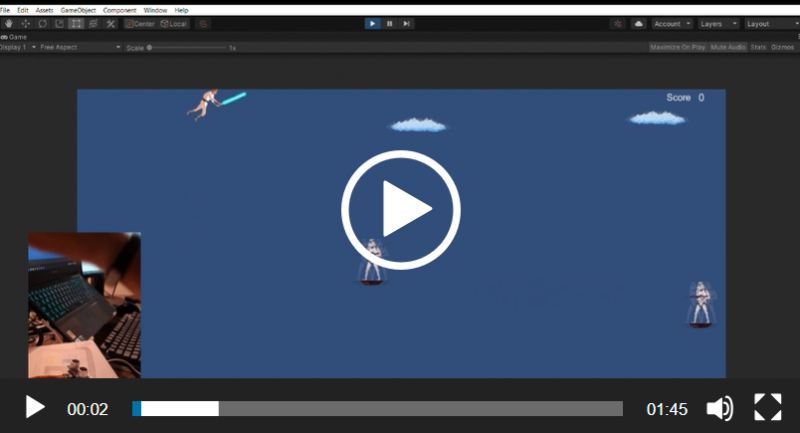
MayThe4thBeWithU
This is a single game with a singular mechanic, you have to use your inner force to control the player.
Try to avoid as many clones as you can, if you collide with one of them, you lose. Also, if you’re a good player, after a while you’ll have the bonus available, which is enabled by pressing the button on the Arduino setup.

Pirate ship
In this game, the player controls a small “pirate ship” and the level of the sea. The
player has to navigate the ship between islands, they can do it by increasing and
decreasing the sea level with the help of the Arduino board and two sensors, a
humidity sensor, and a flame sensor. By increasing the humidity, the player makes
the level of the sea rise. By holding a flame near the flame sensor the player makes
the level of the sea decrease. With the “WASD” buttons the player navigates the ship
between islands. There are some small dialog windows on the islands, but they do
not influence the gameplay in any way. A nice addition to the game would be a LED
that would show the players if they are at a good sea level, where they can find an
island. I could not add this function due to my lack of time management.